Stop interrupting your workflow to share content
Install Share via Gmail and start sharing webpages, articles, and videos with one click. Free forever.
Stop copying links and switching tabs. Share via Gmail lets you instantly send webpages, articles, LinkedIn posts, videos, and more — without ever leaving the page you're on.
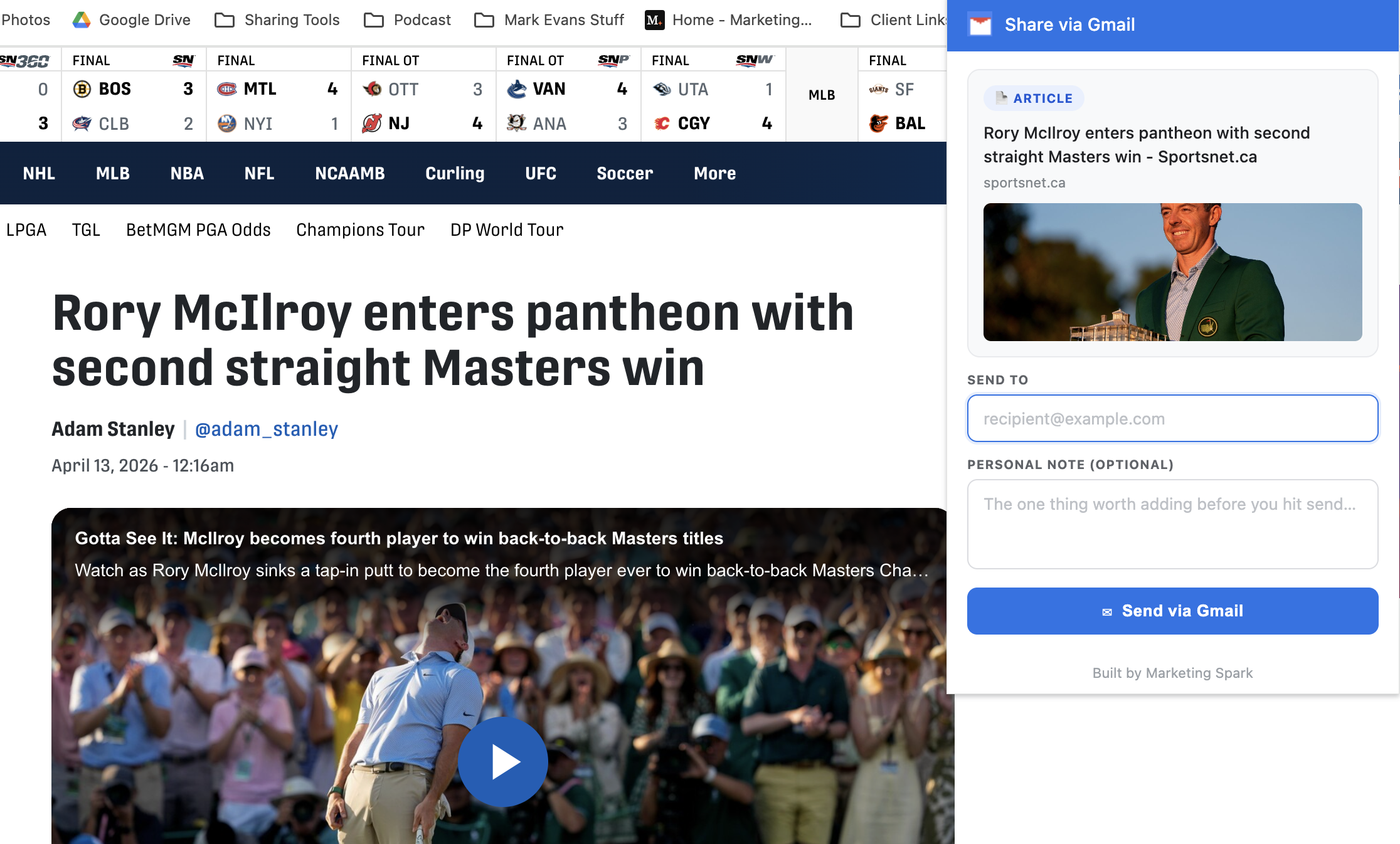
Find something worth sharing? Click the Share via Gmail icon in your browser toolbar.
The Send To field pulls suggestions from your Google contacts and sharing history. The right people appear instantly.
Your email is sent directly — no new tab, no Gmail compose window. You stay right where you are.
No more copying URLs, opening Gmail, pasting links, and searching for contacts. One click does it all.
Send emails directly from whatever page you're browsing. No tab switching, no workflow interruption.
Pulls from your Google contacts and sharing history so the right people appear the moment you start typing.
Your data is never sold or transferred. No tracking, no creditworthiness checks — just a simple, honest sharing tool.
Found an insightful article? Send it to a colleague in seconds.
Spot a great LinkedIn post? Share it directly without the awkward copy-paste dance.
YouTube videos, podcasts, webinars — share any media page with one click.
Found a tool, template, or resource someone needs? Send it their way instantly.
Breaking news or industry updates — keep your network in the loop effortlessly.
If it has a URL, you can share it. It's that simple.
The first time you send through the extension, Google will ask you to confirm two permissions — sending email and accessing your contacts. That's it. After that, sharing is instant and seamless.
Yes, 100% free. No premium tier, no hidden charges. The extension was built by Mark Evans, a SaaS marketing strategist who believes small efficiencies compound over time.
On first use, Google asks you to approve two permissions: sending email and accessing your contacts. This allows the extension to send emails on your behalf and suggest recipients. No other data is collected or stored.
Absolutely. Your data is not sold to third parties, not used for unrelated purposes, and not transferred for creditworthiness or lending purposes. The extension follows Google’s Limited Use policy.
Mark Evans, a SaaS marketing strategist, brand storyteller, and avid hockey and tennis player based in Toronto. He built Share via Gmail because he wanted a faster way to share content with his network.
Install Share via Gmail and start sharing webpages, articles, and videos with one click. Free forever.