
The best way to find out whether your website works is to watch real buyers use it. I do that at the start of most positioning projects, and it's always humbling, because the things founders worry about are rarely the things buyers get stuck on. The trouble is that it takes weeks to set up. The free buyer panel gives you a first read in about two minutes.
It builds three buyers from the customer your site is aimed at, sends each of them through your site page by page and shows you what they thought, where they got lost and whether they'd book a call. This guide walks through how to run it and how to read the results. The screenshots are from a panel I ran on this site, marketingspark.co, and none of the three buyers would book a call yet, so it's an honest example.
Step 1: Enter your website
Go to the buyer panel page, paste your website address and click the button. You don't need an email to see the results.
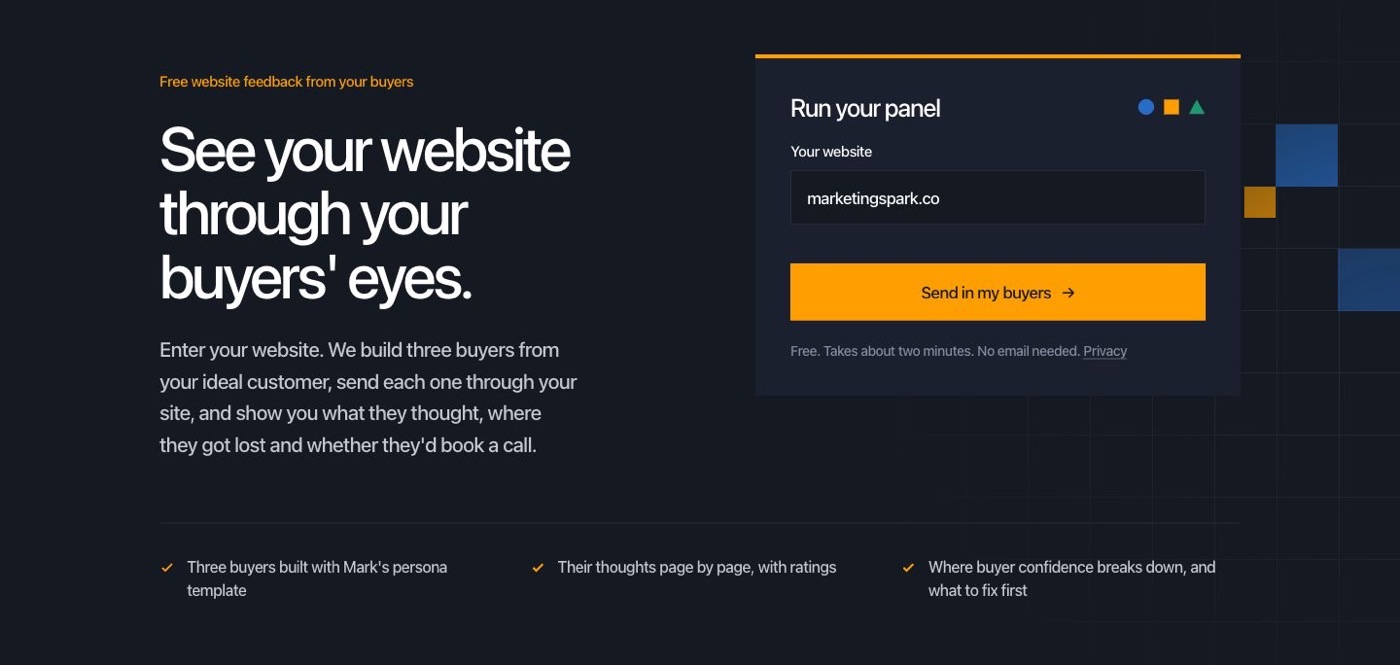
The panel reads your homepage and the pages buyers usually check next, like your product, pricing, customers and about pages. From those it works out who your site is aimed at, then builds three buyers using the persona template I use with clients. You'll get a user who'd work with you day to day, a manager who'd own the decision and an executive who'd sign off on it. You'll see the three buyers as soon as they're built, and the full results arrive when they've finished going through your site.
Step 2: Start with the summary
The summary is the page to read first. It gives you the one thing all three buyers had in common, the customer the panel thinks your site is pointed at and a quick line on each buyer with their rating and whether they'd talk to you.
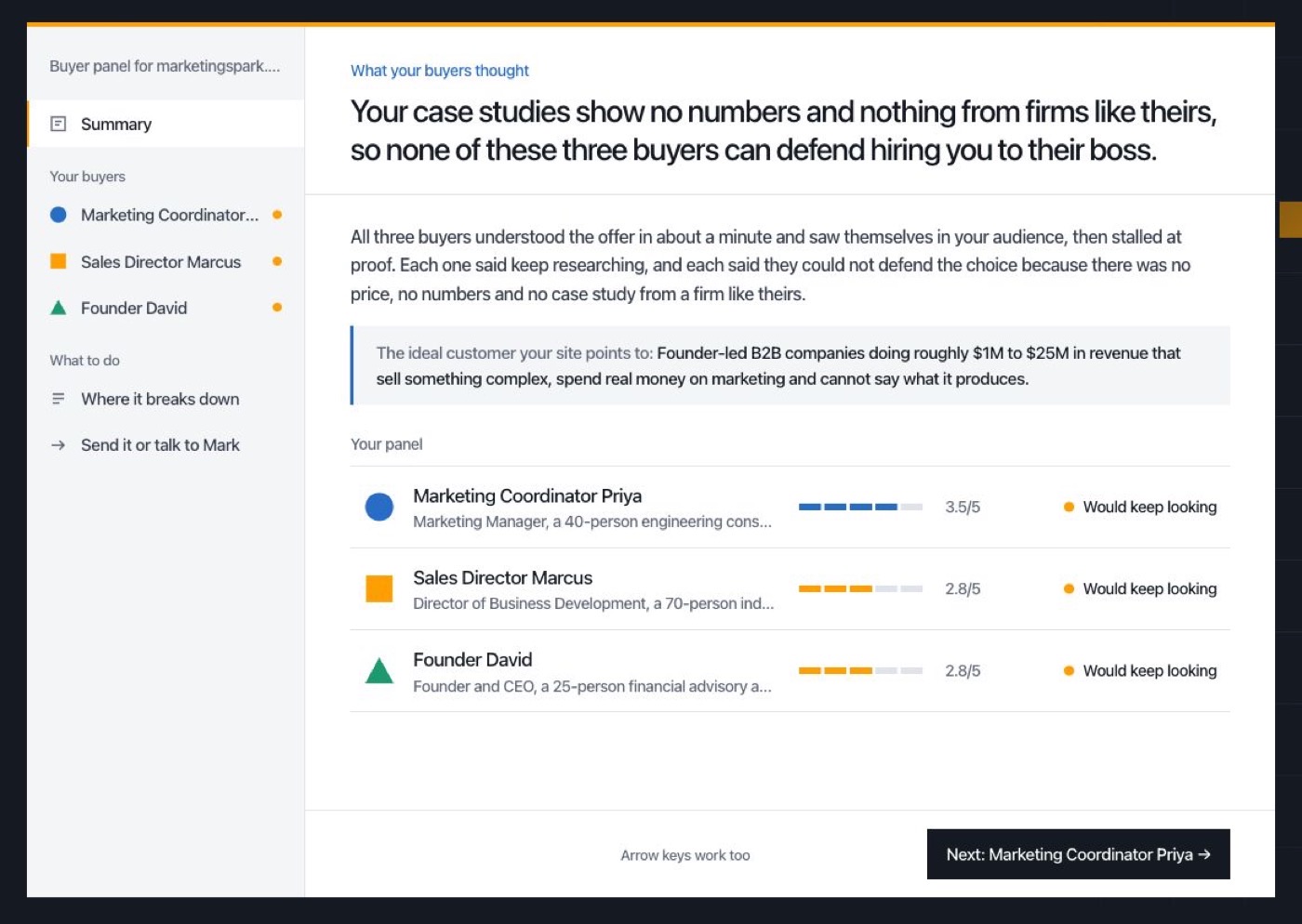
Check the customer description before anything else. If the panel thinks you sell to someone you don't, that's a finding in itself, since it means your site is telling buyers something different from what you intended. For us it got the customer right (founder-led B2B companies doing roughly $1M to $25M in revenue), which meant the problems were in the proof rather than the targeting.
Step 3: Get to know each buyer
Click a buyer in the left menu to open their file. The first tab, "Who they are," covers their job, why they're looking now, their pains and fears, what they need to say yes, how much buying power they have and who else they're comparing you with.
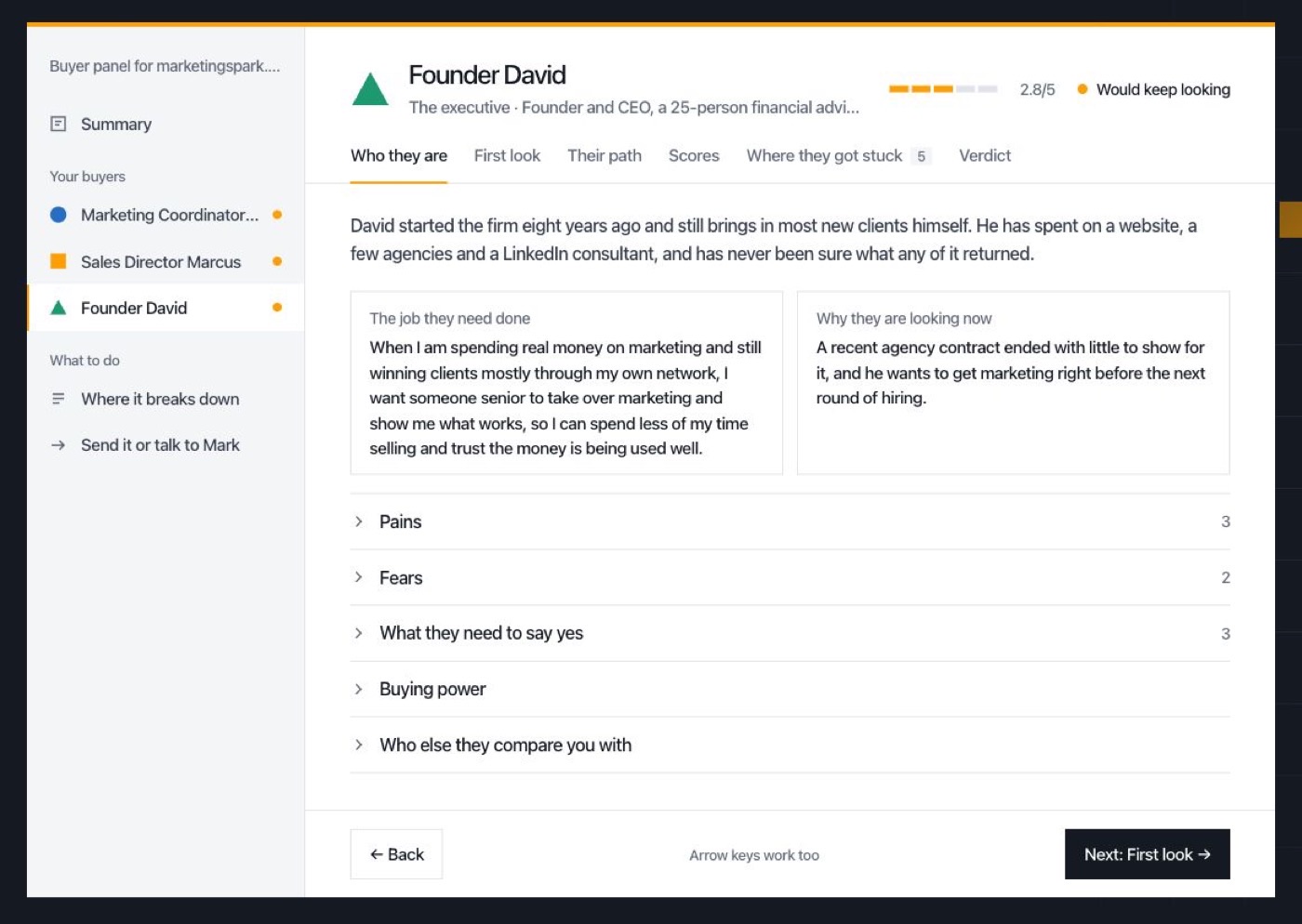
Read this before you read their reactions. A buyer's opinion only makes sense once you know what they were looking for, and the "What they need to say yes" section is often the most useful part of the whole panel, because it's a checklist you can hold your site up against.
Step 4: Follow their path through your site
"First look" shows what each buyer thought in the first few seconds on your homepage. "Their path" goes further and shows every page they visited in order, with what they were thinking on each one. Click through the steps to follow along.
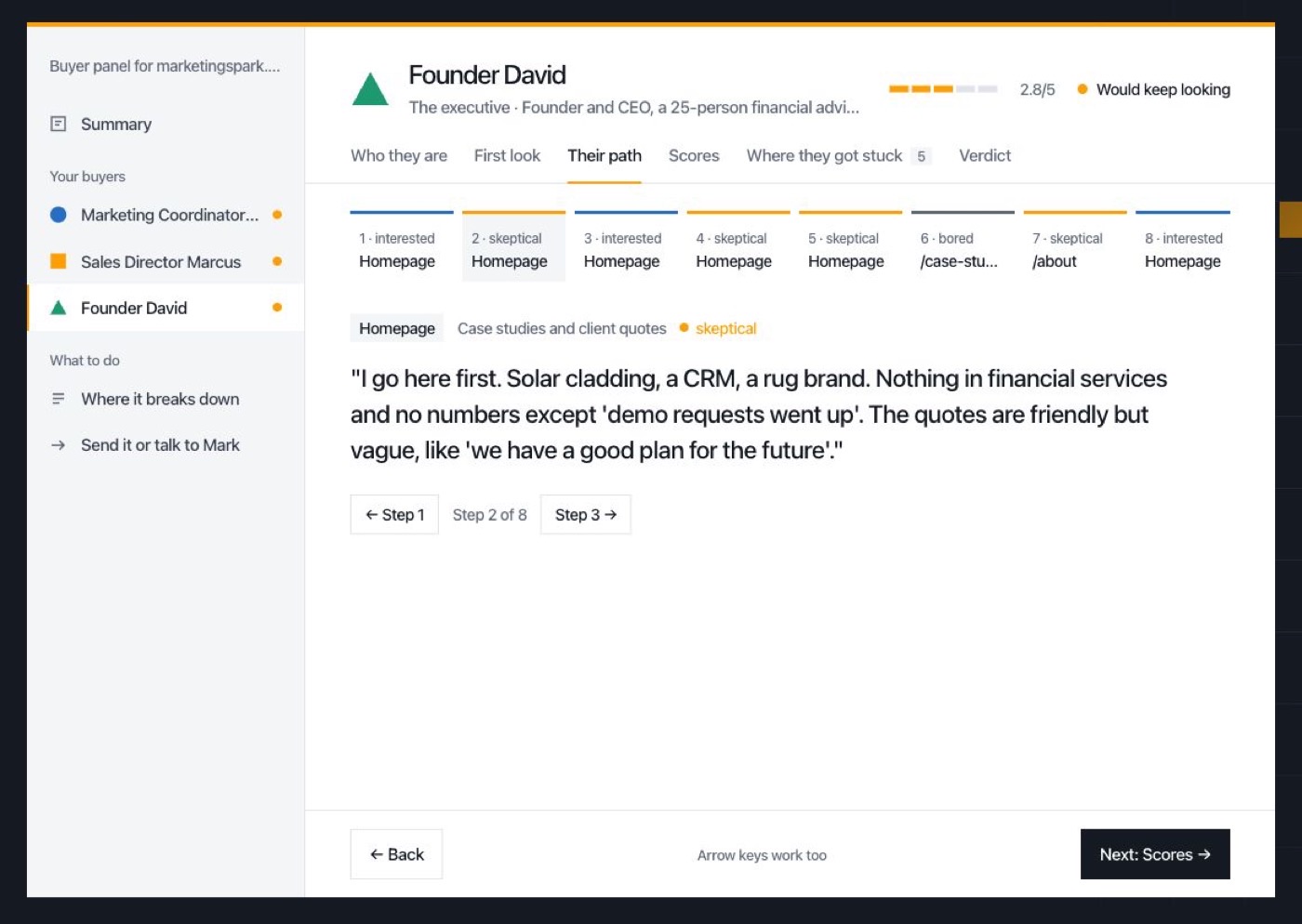
Watch for the pages where a buyer's interest drops. In our panel, David went to the case studies looking for a firm like his and found solar cladding and a CRM instead. His reaction ("Nothing in financial services and no numbers except 'demo requests went up'") is exactly what I'd expect a real founder to say, and it's not something I'd have spotted on my own because I know the stories behind those case studies.
Step 5: See where they got stuck
"Where they got stuck" pulls out the exact lines on your site that confused or put off each buyer, along with the questions your site never answered and the objections they'd raise on a call.
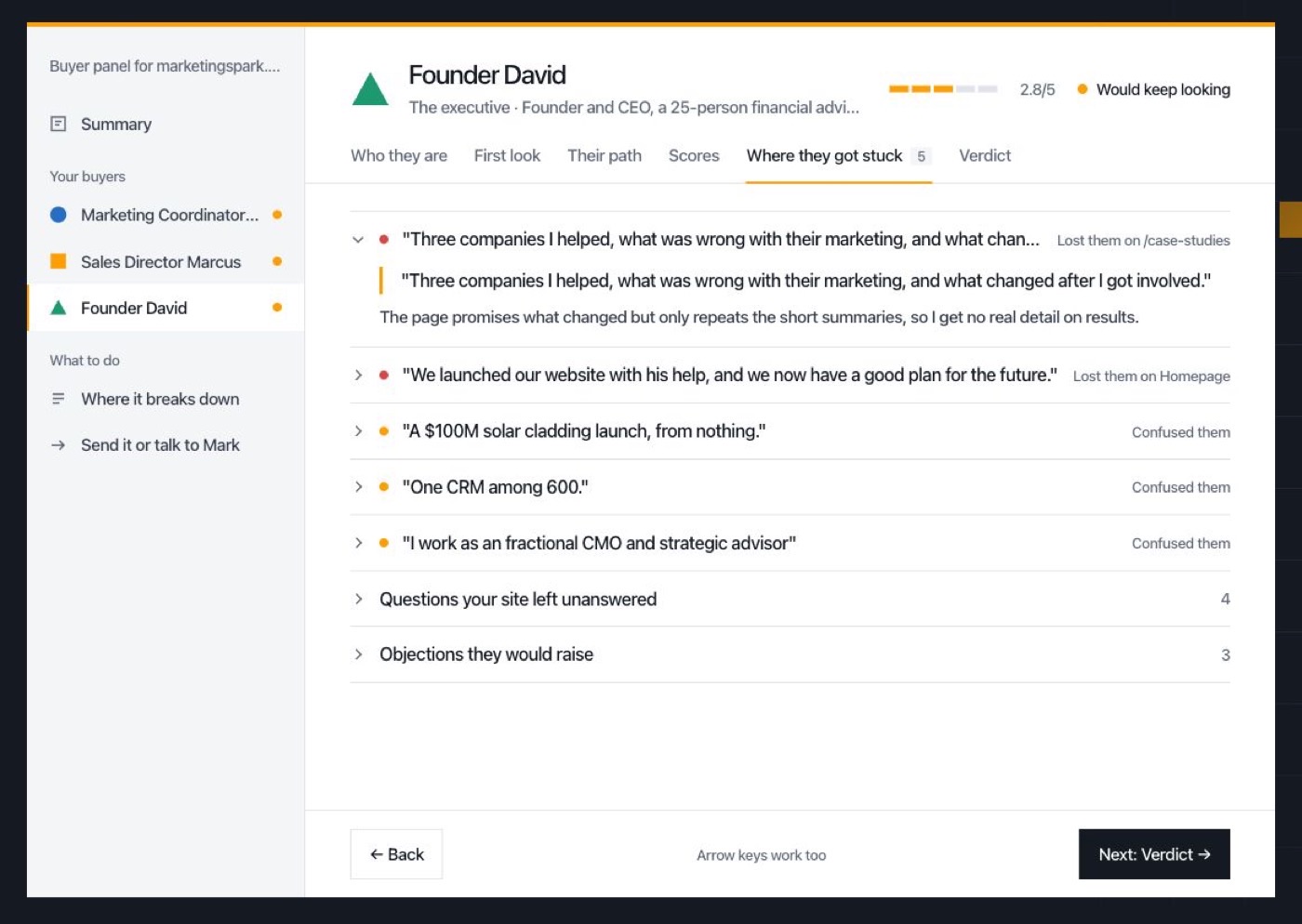
The unanswered questions are worth copying into a doc. If your buyers keep asking how much it costs or what working with you looks like, those are pages or sections you should probably write. The "Scores" and "Verdict" tabs round out each buyer with their ratings and whether they'd book a call.
Step 6: Fix where confidence breaks down
Under "What to do," the panel lists where buyer confidence breaks down across all three buyers, ranked by how much it matters. Each one says which buyers it affected, what happened and what to do about it.
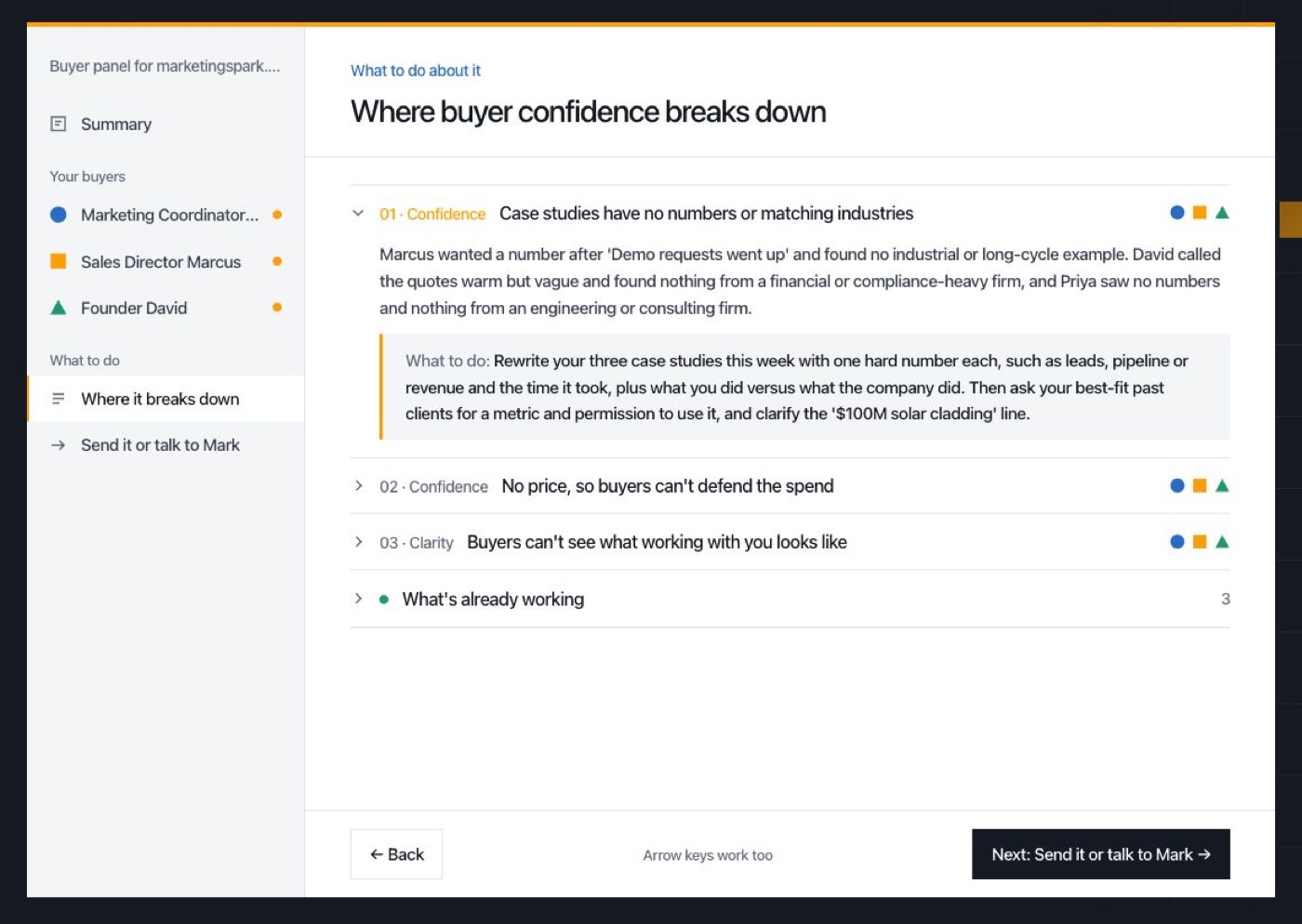
For us, the three issues were case studies without numbers, no sense of price and buyers not being able to picture what working with me looks like. All three point to the same thing, which is that the site asks a CEO to trust me without giving them anything to defend the choice with. That's useful because it gives me one problem to fix rather than three.
There's also a section on what's already working, which is worth reading so you don't fix something that isn't broken. When you're done, you can send yourself a copy of the full panel.
What the panel can and can't do
The buyers are simulated by AI, and so are their opinions. They're good at spotting where a page is unclear or missing proof, because people in those roles tend to react in predictable ways. They can't tell you what your actual customers think, and they won't know about the reputation you've built through referrals. So use the panel to find the obvious gaps quickly, and then go and talk to a few real customers about the ones that matter.
If you want a single score for your homepage and three fixes to start with, run the website audit as well, and see how to use the website audit for a walkthrough. If the panel got your ideal customer wrong, the ICP interview prompt will help you pin it down. All three are on the free tools page.