
When a founder asks me to look at their website, I start with the homepage and ask the same handful of questions every time. What do you sell? Who is it for? Why would someone pick you over the next option? And is there anything on the page that proves it? I built the free website audit so you can get those questions answered about your own homepage in about a minute, without waiting for a call.
This guide walks through how to run it, what each part of the report means and what to do with it afterwards. The screenshots are from an audit of this site, marketingspark.co, so you can see that I don't score my own homepage any easier than anyone else's.
Step 1: Paste your website
Go to the audit page, type your website address into the box and click the button. You don't need to give an email or make an account, and you don't need the full URL either, since the domain is enough.
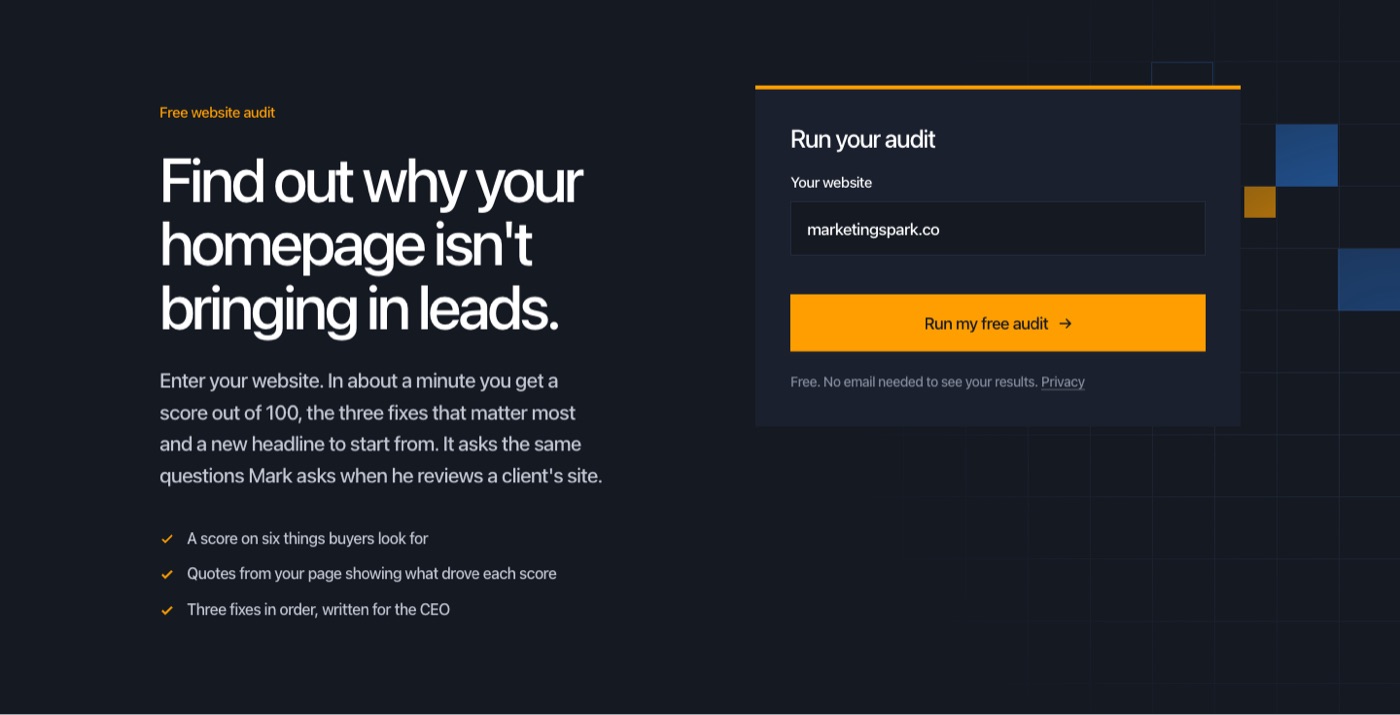
While it runs, the audit reads your homepage, plus your About page and a services or product page when it can find them. It runs nine quick checks in code (your headline, your buttons, whether you use numbers, how much filler is on the page and so on) and takes a screenshot of your first screen. Then it scores six things buyers look for, using the same questions I ask when I review a client's site. A useful habit is to guess your own score while you wait, because the gap between your guess and the real number usually tells you something.
Step 2: Read the score and the short version
The first screen of the report gives you a score out of 100, a one-line verdict and a short summary of what's working and what isn't. The total is worked out in code from the six scores underneath it, so it's consistent from one site to the next.
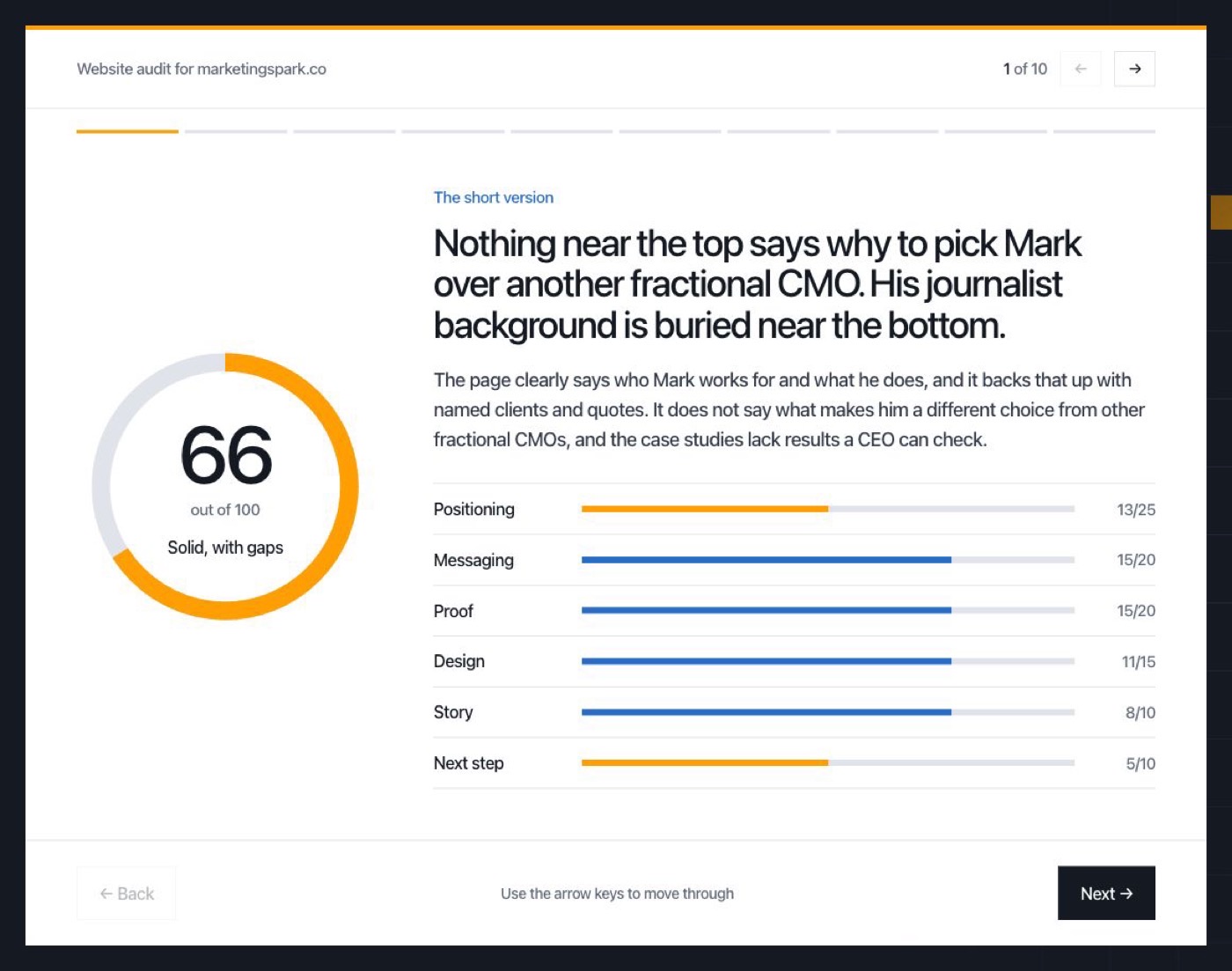
Don't get too attached to the number. A 66 and a 72 aren't very different, and the score matters less than which of the six bars is shortest. Here's what each one measures:
- Positioning (25 points): would a buyer know why to pick you over a competitor? This is weighted most because it's the one that decides whether anything else on the page works.
- Messaging (20 points): can a new visitor say what you sell and who it's for within five seconds?
- Proof (20 points): do named customers, numbers and results back up what you claim?
- Design (15 points): does your first screen look credible and make the important things easy to see?
- Story (10 points): does a buyer see their own situation on the page?
- Next step (10 points): is there one clear next step, plus an easier one for people who aren't ready to talk yet?
Step 3: Click through the six results
Use the arrows or your arrow keys to move through the report one result at a time. Each one tells you what the audit found on your page, quotes the lines it based that on and explains what's holding the score back. Any quote that isn't actually on your page gets thrown out before you see it, so it can't invent evidence to make a point.
This is the part most people skim, and it's the part I'd slow down on. The quotes show you your own homepage the way a stranger reads it, which is hard to do when you wrote the copy yourself.
Step 4: Start with the three fixes
After the six results you'll get three fixes, in the order I'd do them. Each one says what the problem is, quotes where it shows up and tells you exactly what to change.
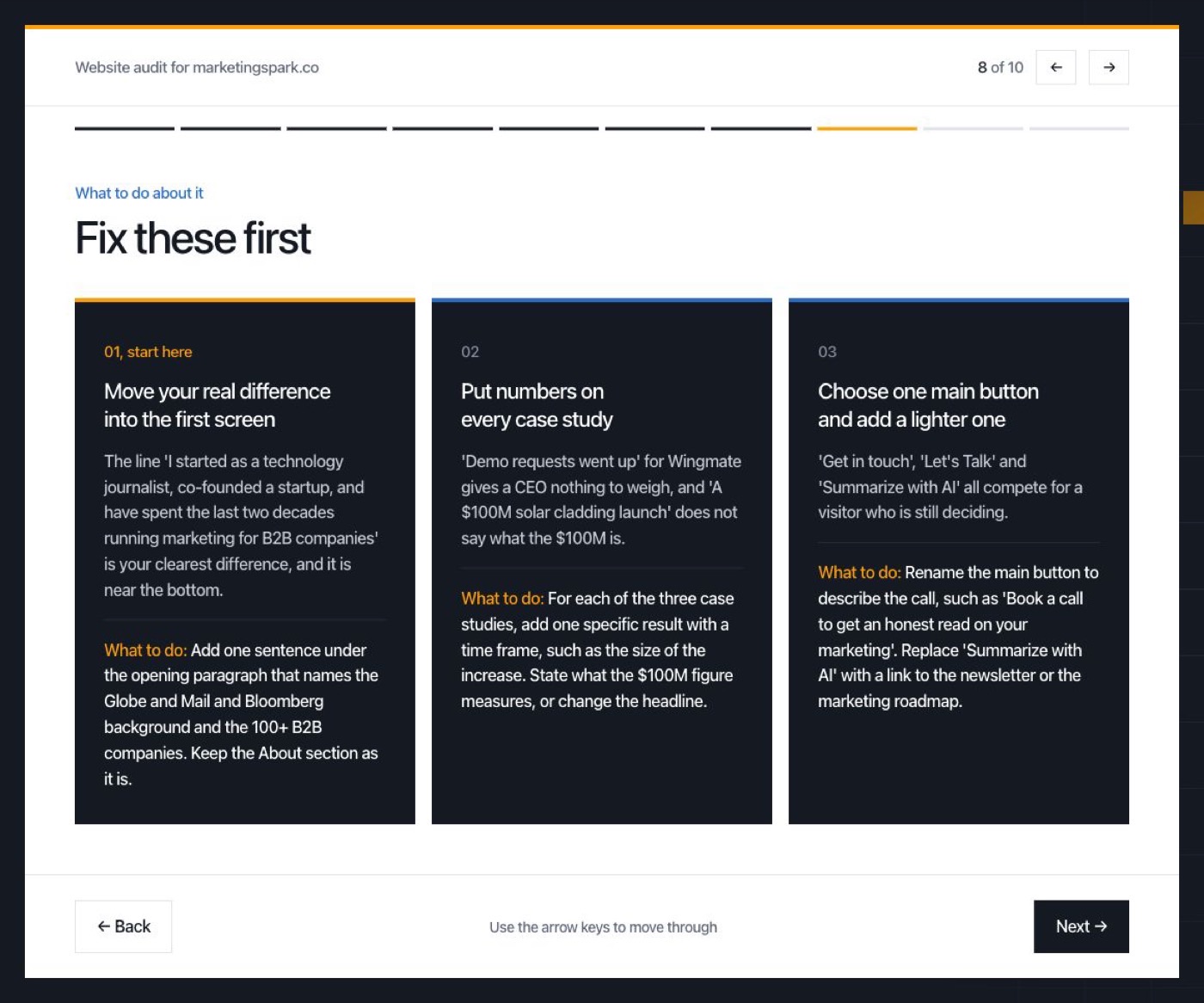
For this site, the audit said our real difference (that I was a technology journalist before running marketing for more than 100 B2B companies) is buried near the bottom of the page. It also said our case studies don't have numbers a CEO can check, and that we have too many buttons competing for attention. Those are fair, and they're the same notes I'd give a client.
If you only have an hour, do the first fix. It's almost always about positioning, and it usually means moving something you already have higher up the page rather than writing something new.
Step 5: Use the rewritten headline as a starting point
The last result is a rewrite of your headline, put together only from what's already on your site. It shows your current headline next to the new one, with a supporting line underneath.
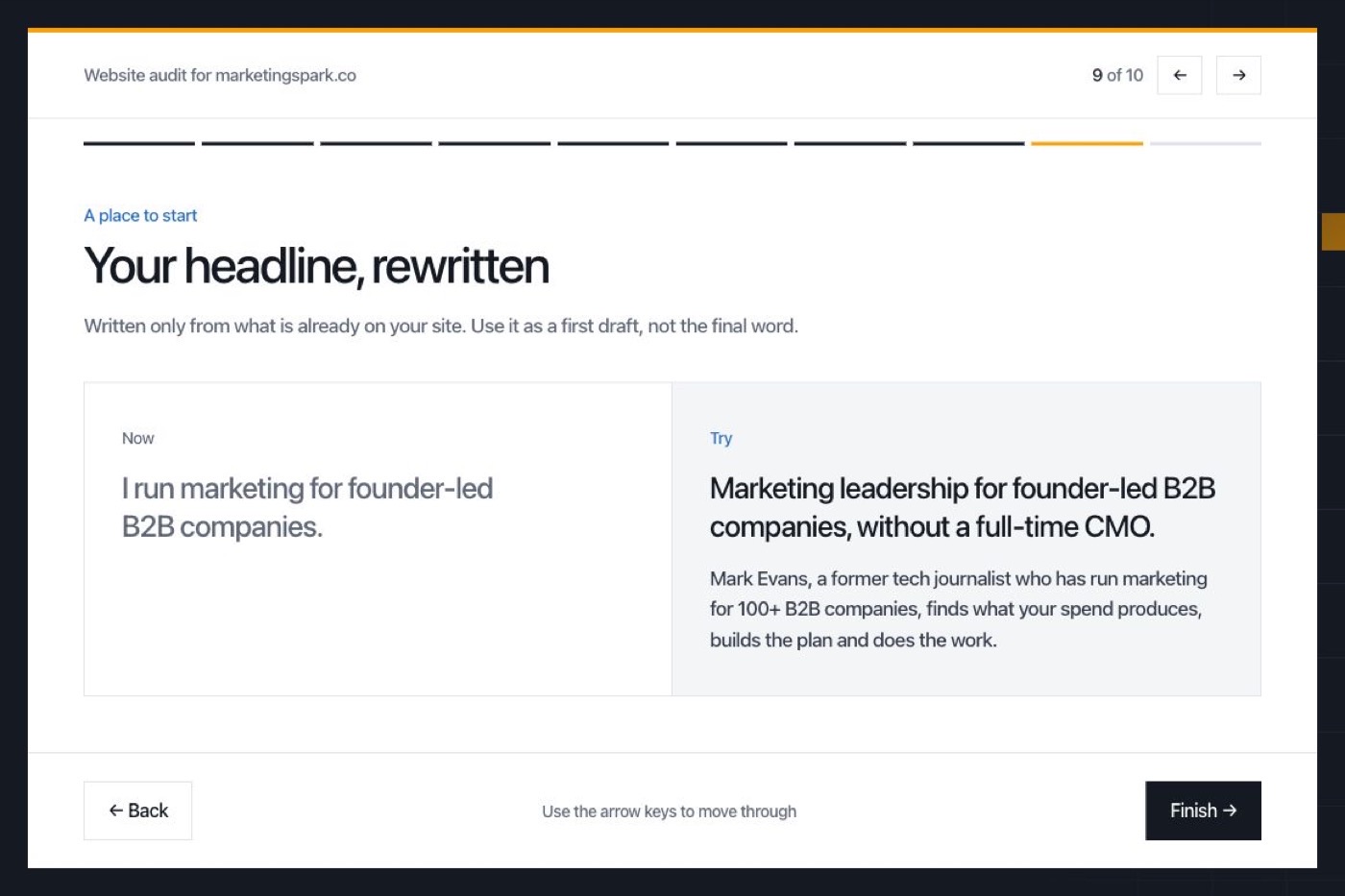
Treat it as a first draft. It can only use what it found, so it won't know about the customer story you haven't published yet or the way your best clients describe you on calls. Those are usually where the best headline comes from, which is why I'd use the rewrite to get unstuck and then make it yours.
Step 6: Send yourself a copy
At the end you can send the report to your email, which is handy if you want to share it with a cofounder or whoever owns your website. You'll get the score, the six results, the three fixes and the new headline in one email.
What the audit can't tell you
It only sees your first screen and your text. It doesn't see your analytics, it doesn't know your market the way you do and it hasn't talked to your customers. So treat it as a fast second opinion, and if the score surprises you, that's a good reason to go and ask a few customers how they'd describe you.
If you want to see your whole site the way specific buyers would, run the buyer panel next. There's a guide to that one too, in how to use the buyer panel. And if you're not sure who your ideal buyer is in the first place, the ICP interview prompt is a good place to start. You can find all three on the free tools page.